Sharing
How to share Local Eyes
Share a ready-made post by WhatsApp, Messages, email or socials, or print a poster.
For visitors & locals
Video coming soon. Follow a town, save a favorite and share what you find.
The big idea
Share it in seconds
The big idea
Share it in seconds
Every page on Local Eyes has the same Share button. The post, photos and poster are already made for you.
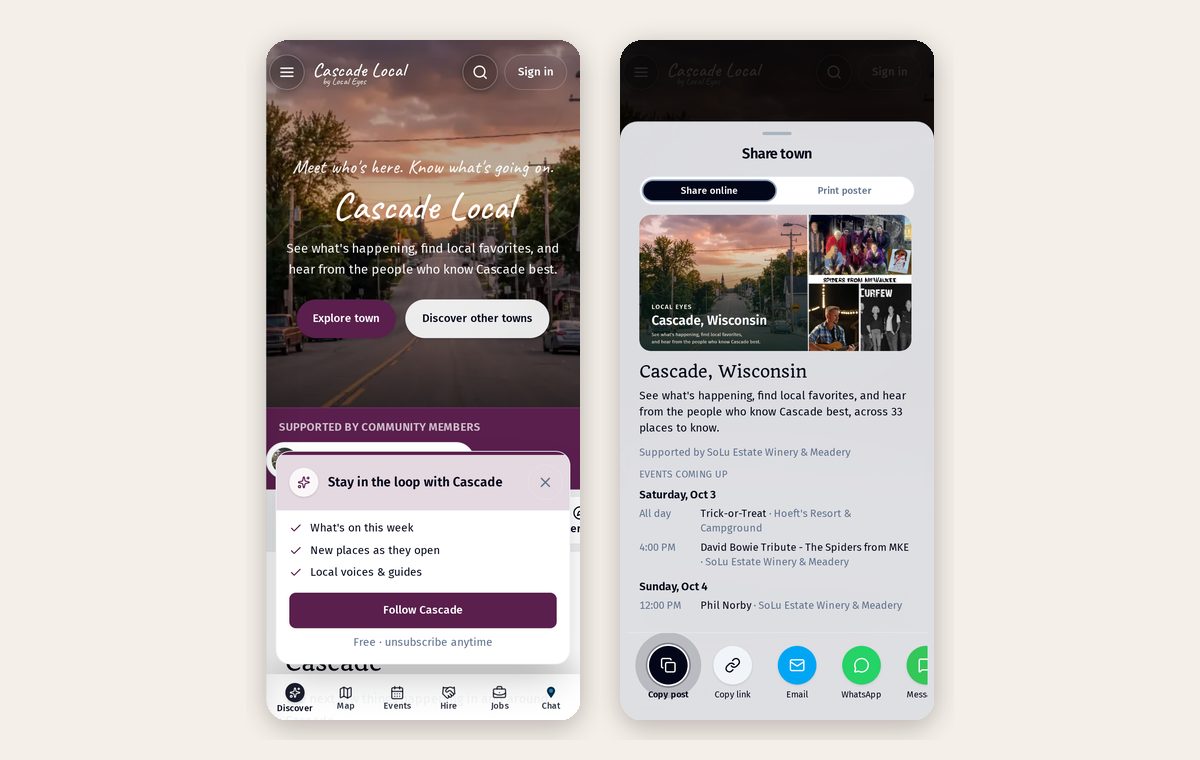
- 1Tap ShareOn any page: the state, a town, an interest, a place or an event.
- 2Pick where it goesCopy the post, send by WhatsApp, Messages or email, or post to socials.
- 3Or print itOne more tap turns the page into a poster with a code to scan.
Share a town in a group chat. Everyone gets this week's events and places.
Part 2
Share all of a state
Part 2
Share all of a state
Share a state to show towns and places to explore. Share a town for its local events.
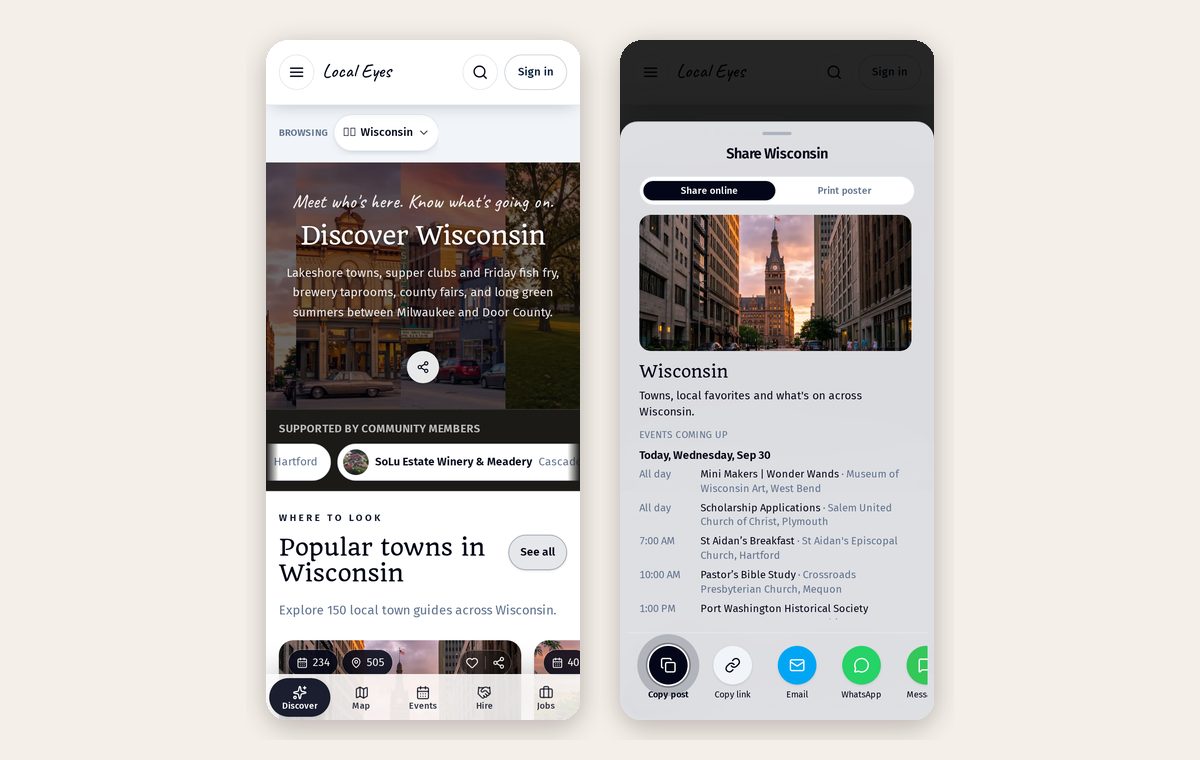
- 1Choose the stateThe state share highlights towns and places to explore.
- 2Tap ShareThe window shows exactly what people will get.
- 3Send it anywhereEvery town and place underneath shares the same way.
Part 3
The whole town, one link
Part 3
The whole town, one link
The town page is the front door: what's on, places to know, guides to read.
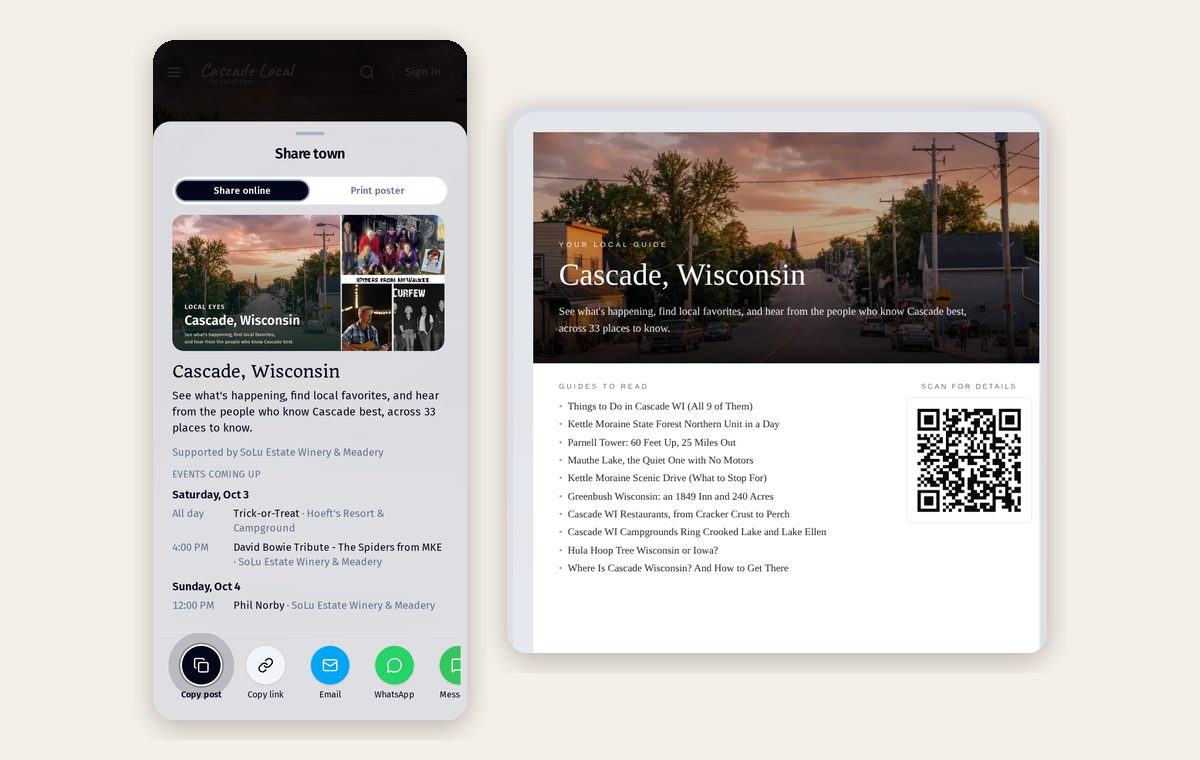
- 1Share onlineA ready-made post with this week's events, grouped by day.
- 2Print posterThe same town on paper, with a code to scan.
A poster by the register sends visitors to everything in town.
Part 4
One theme, statewide
Part 4
One theme, statewide
Interest guides bring together places around a theme across a region. Share a guide to help others explore.
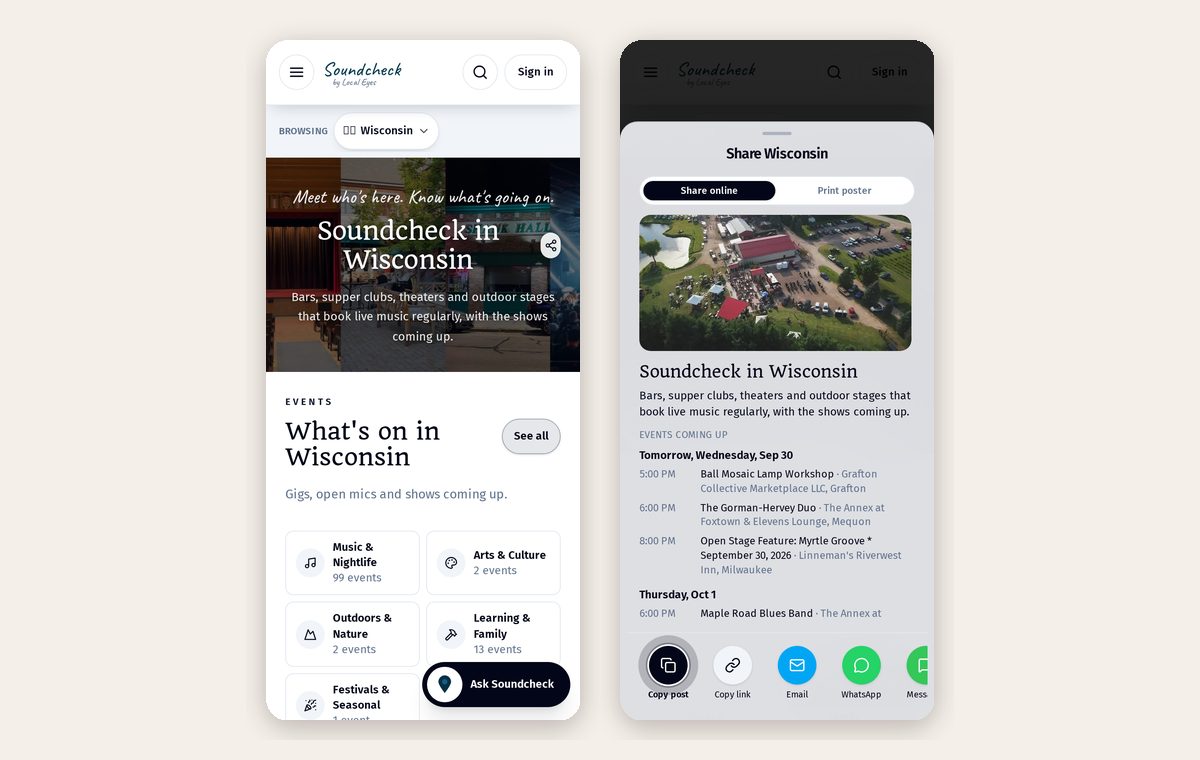
Share a themed guide with someone who wants to explore places across the region.
Part 5
A busy place shares itself
Part 5
A busy place shares itself
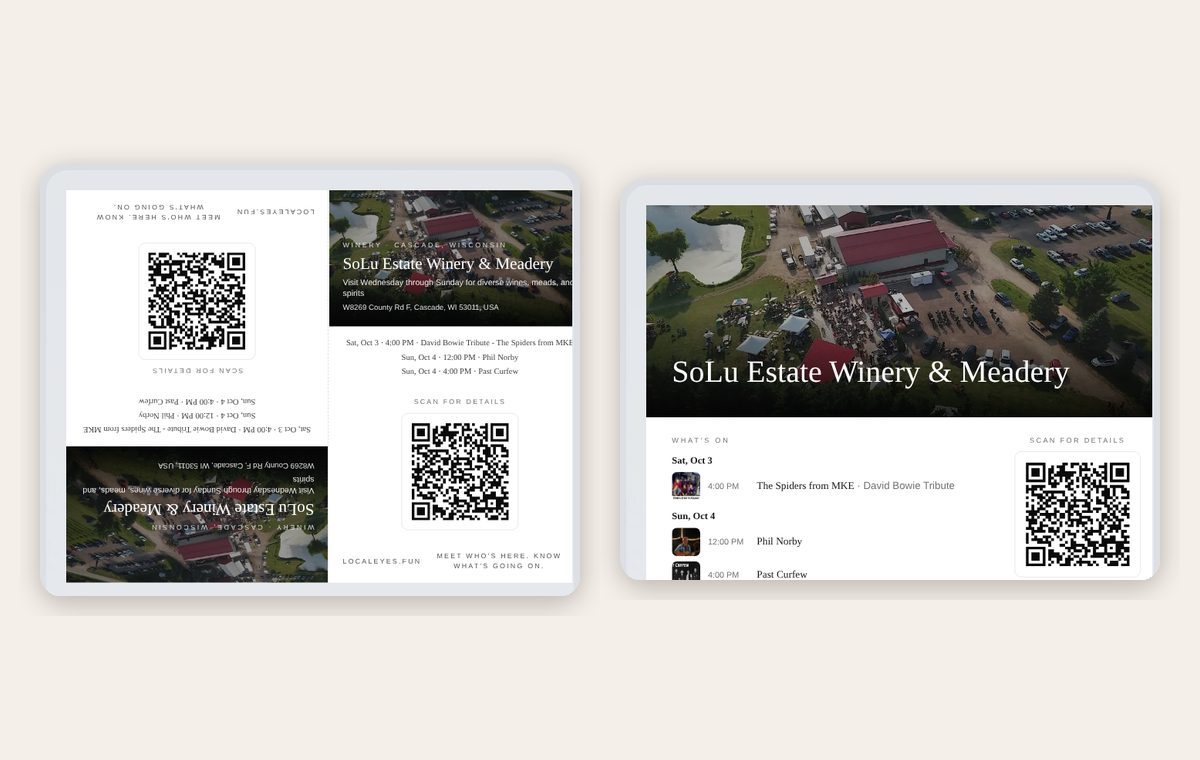
A venue with weekly live music shares every upcoming gig in one post, and prints as a wall poster or table tent.
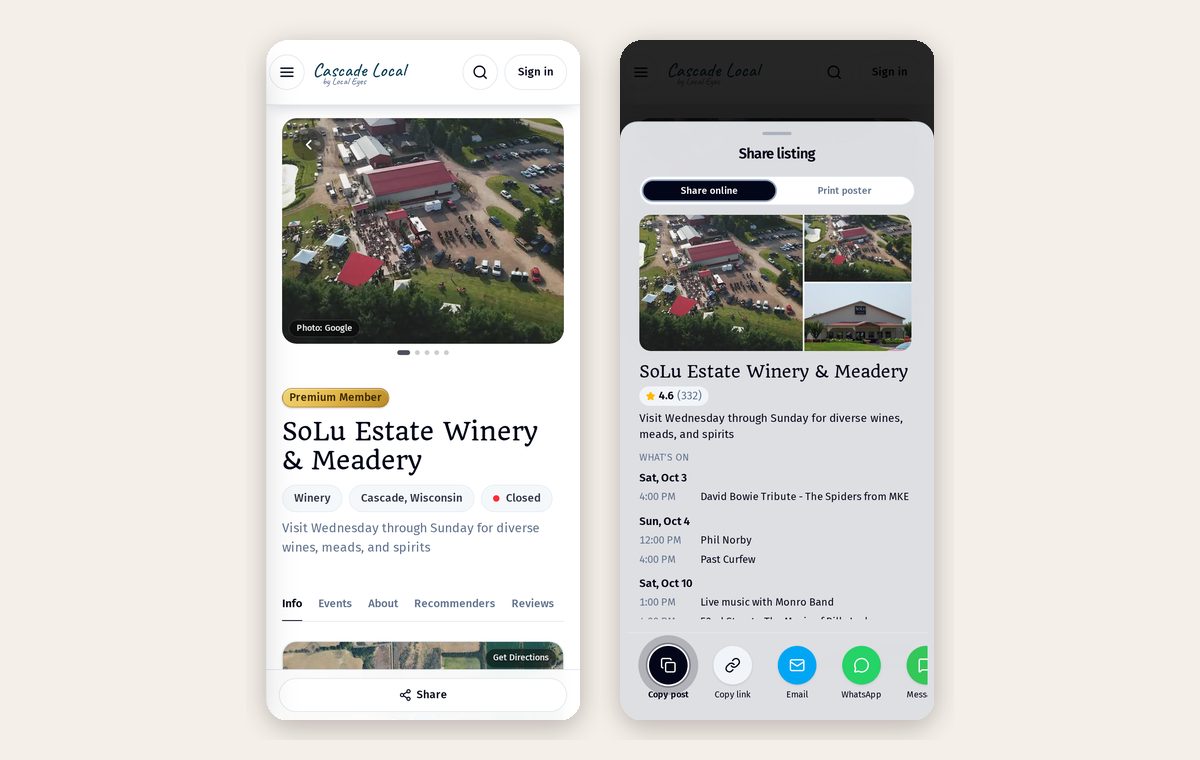
- 1Wall posterThe full calendar for the front door or the notice board.
- 2Table tentFor the counter and every table.
Reprint each month. The code always opens the latest calendar.
Part 6
Every act, one sheet
Part 6
Every act, one sheet
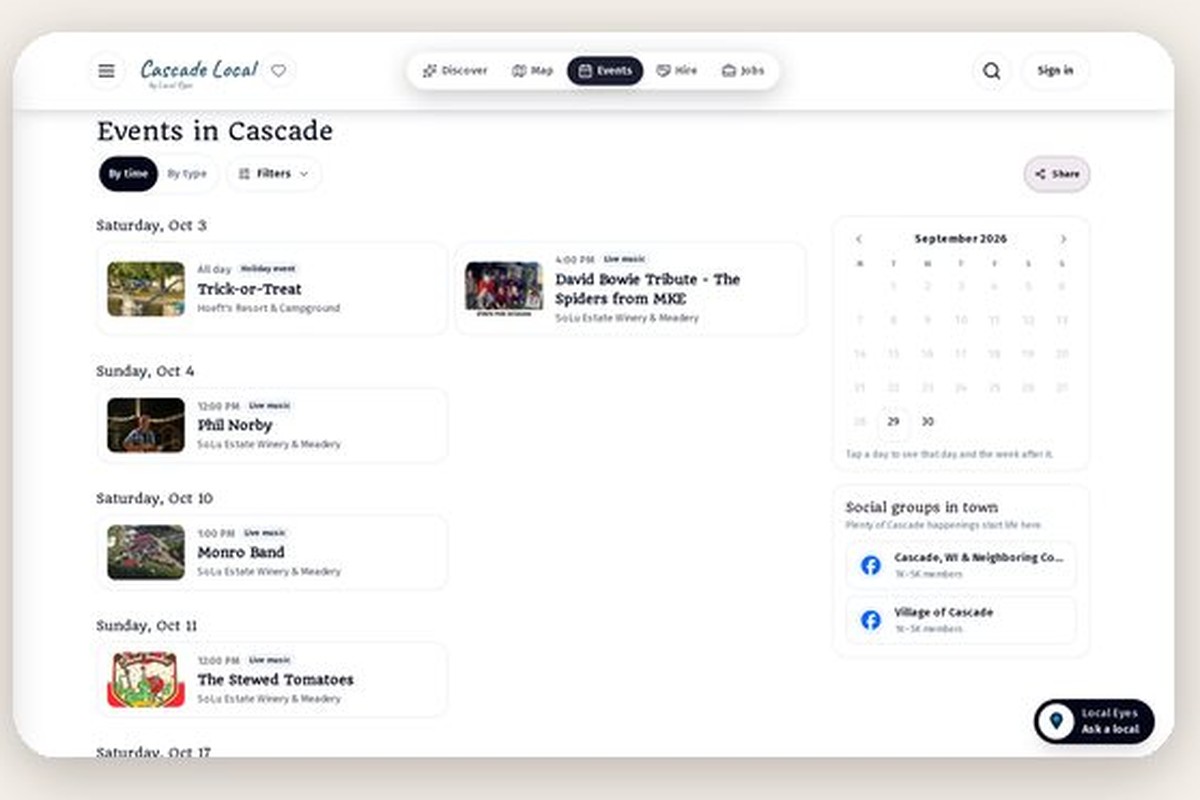
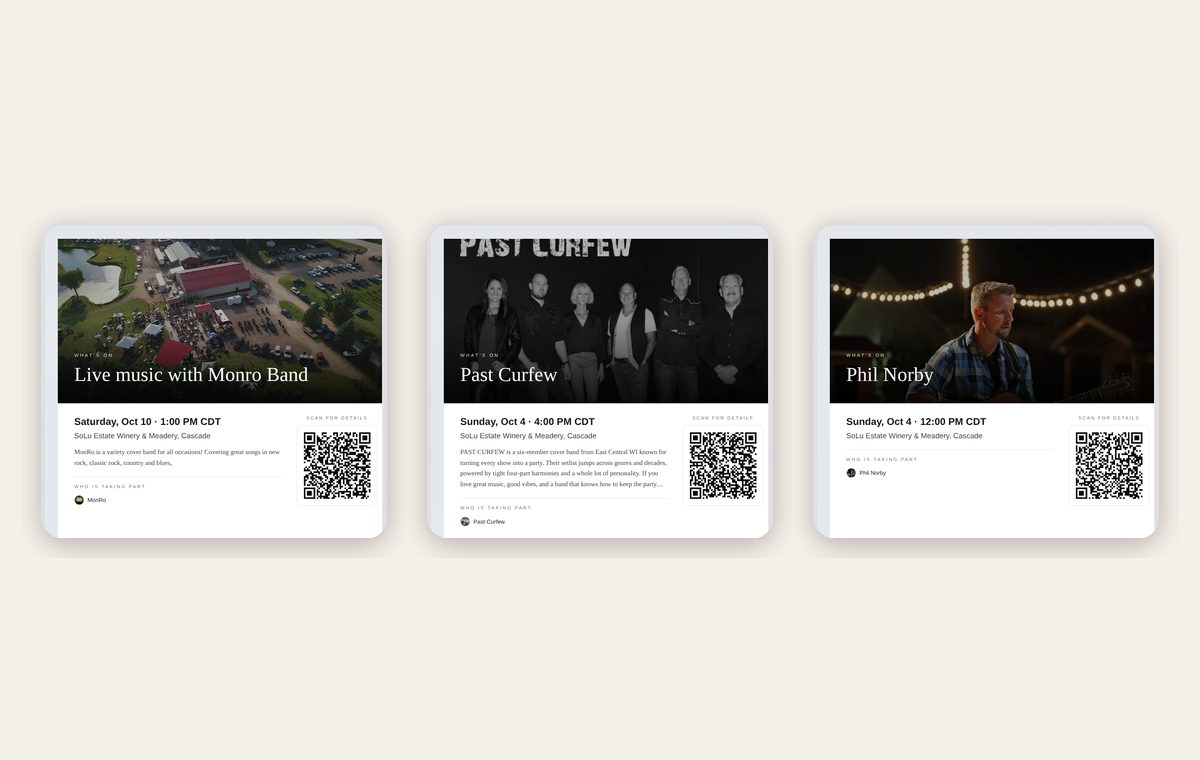
Each event has its own page and its own poster with the band's photo, time and a code. Six acts this month means six posters, ready in a minute.
Part 7
Every level, one button
Part 7
Every level, one button
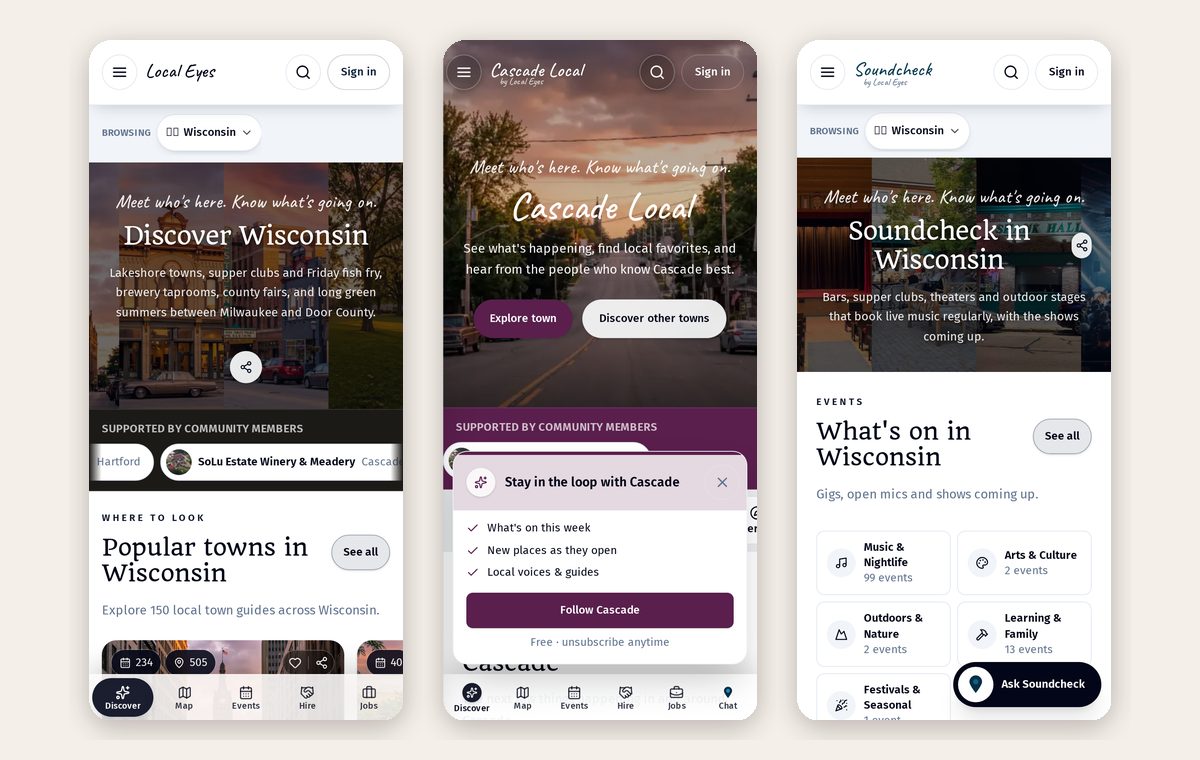
State, town, interest, venue, band, event: start wide or start with one act. The Share button works the same everywhere.
Part 8
Share it in 30 seconds
Part 8
Share it in 30 seconds
Every listing, event and band has the same Share button.
- 1Tap ShareAt the bottom of the page on a phone, beside the title on a computer.
- 2Copy postThe name, details, a short description and the link are written for you.
- 3Paste it anywhereFacebook, a group chat, a text — or send straight to WhatsApp or email.
The preview photo travels with the link, so it looks right when you paste it.